Add Chords to ProPresenter Files
ChordProEditor lets you add ChordPro format chords to your ProPresenter presentations. Display chords on your stage display for musicians while keeping clean lyrics-only on the main audience screen. New in v2.1: import chords directly from SongSelect & PraiseCharts, preview your stage display in real time, and let AI handle complex chord matching automatically.
How ChordProEditor Works
Import ProPresenter File
Open your existing ProPresenter (.pro) file directly in ChordProEditor.
Add ChordPro Format Chords
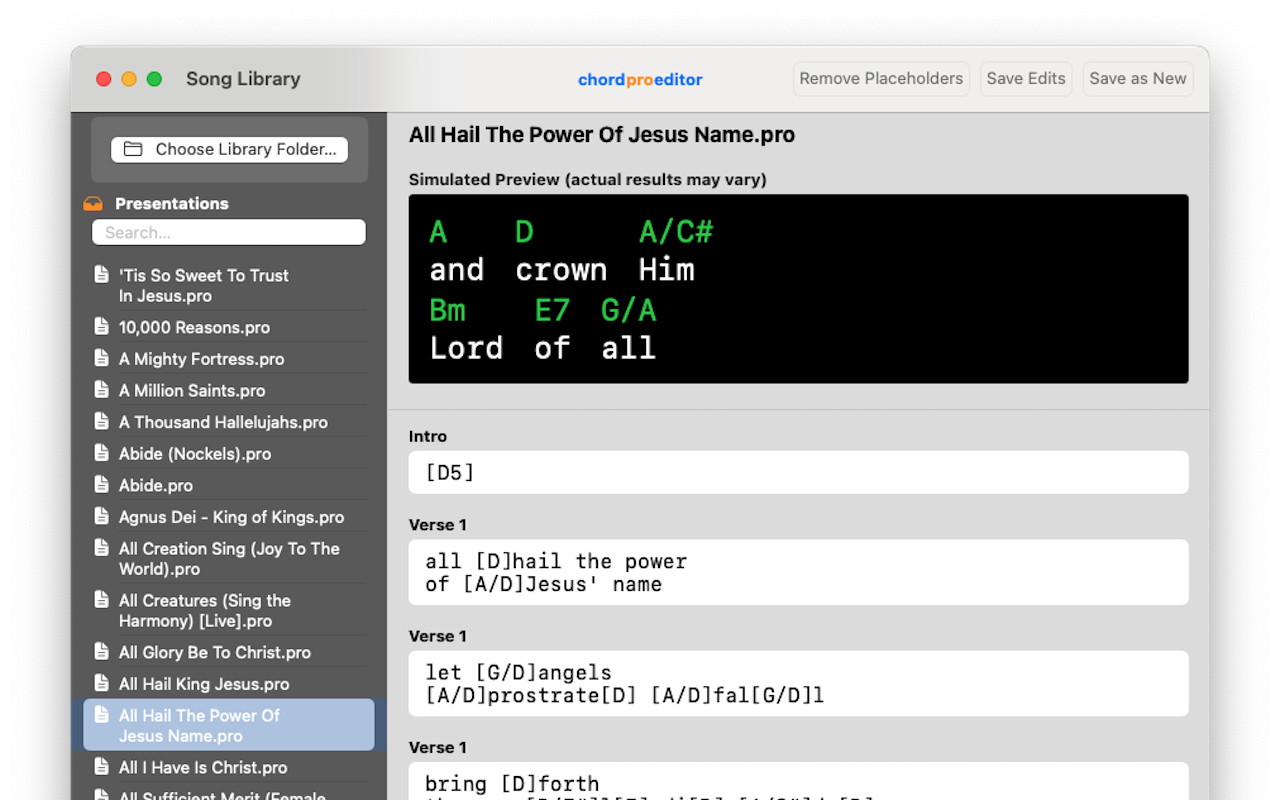
Type chords in standard ChordPro format like [G], [Am], [C/E] above lyrics.
Save Enhanced File
ChordProEditor saves your file back to ProPresenter format with embedded chord data.
Display in ProPresenter
Musicians see chords on stage display, audience sees clean lyrics only.
Perfect for Worship Teams and Musicians
Stage Display Integration
Chords appear on your ProPresenter stage display, perfectly positioned above the corresponding lyrics for musicians to follow.
Clean Audience View
Main audience screen shows lyrics only - no chords, no clutter. Keep your congregation focused on worship.
ChordPro Format Support
Use the industry-standard ChordPro format and ProPresenter can display in either letters [C/E], numerals [V], or numbers [2m7].
ProPresenter Compatible
Works directly with your existing ProPresenter files. No format conversion needed - edit and save seamlessly.
Workflow Efficiency
Add chords to your entire song library quickly. Transpose chords to a new key with ease.
Complex Chord Support
Supports all chord types: major, minor, sevenths, slash chords, and complex jazz extensions.
Chord Chart Import New in 2.1
Import chords directly from SongSelect and PraiseCharts ChordPro files. ChordProEditor automatically matches lyrics and places every chord in the right spot — an entire song in seconds.
Stage Display Preview New in 2.1
See exactly how your chords will appear on your ProPresenter stage display — right inside ChordProEditor. Pick your stage layout and preview chords in real time before you open ProPresenter.
AI-Assisted Chord Matching New in 2.1
On macOS 26+, Apple Intelligence helps resolve complex chord matches automatically — so even songs with repeated sections get imported correctly every time.
See the Difference
Before: Audience Sees Everything
all [1]hail the power
of [5/1] Jesus' name
✗ Cluttered with chord symbols
After: Clean Audience View
All hail the power
of Jesus' name
✓ Clean, distraction-free lyrics
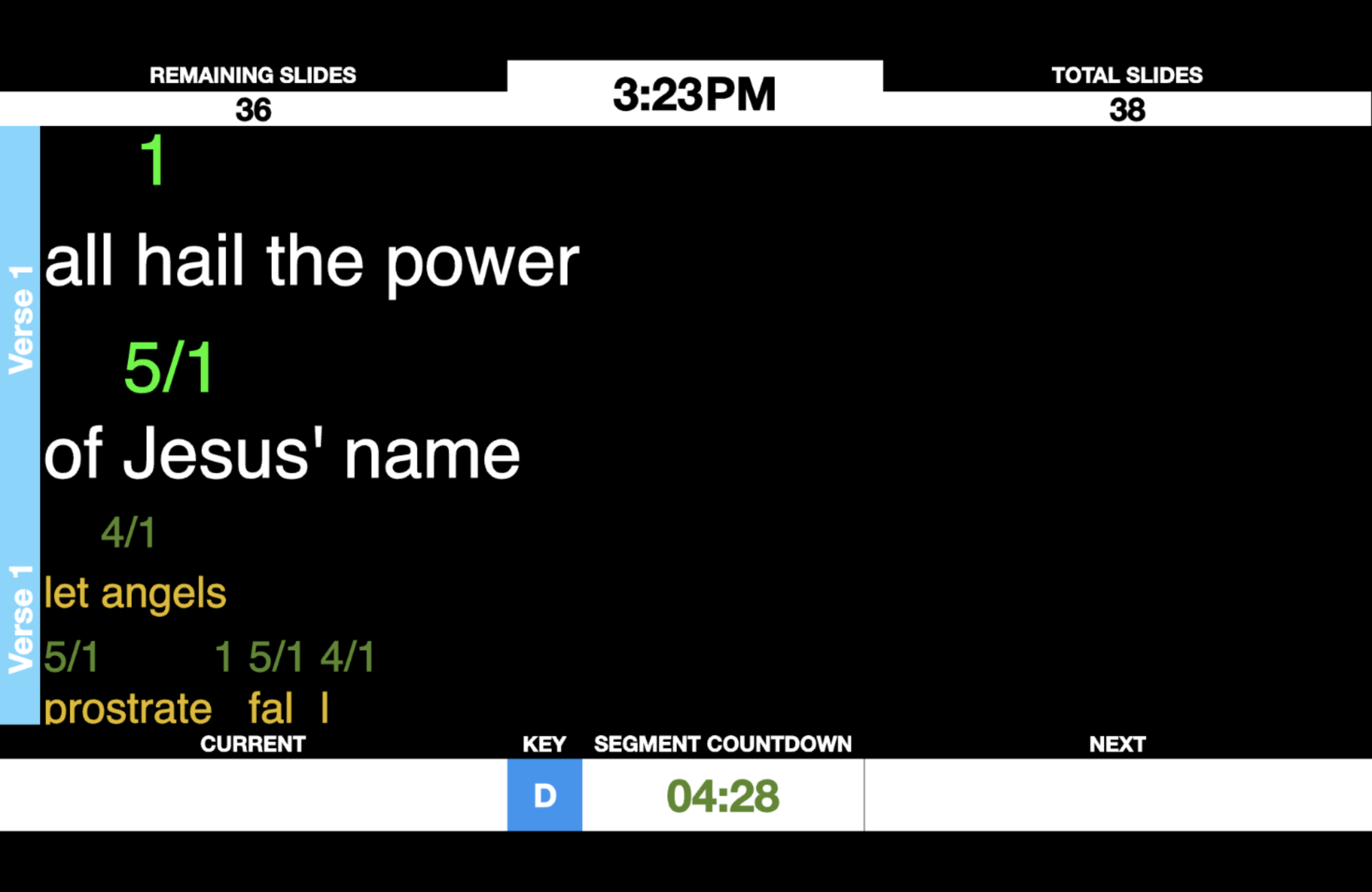
Stage Display Output
Musicians see chords positioned above lyrics on stage displays
Perfect for Every Worship Setting
Worship Leaders
Enable your musicians to follow chord changes easily while keeping the congregation focused on worship without chord distractions.
Music Directors
Streamline your worship preparation. Add chords to your entire ProPresenter song library efficiently.
Band Members
All musicians can see chord progressions clearly on stage displays, improving coordination and musical flow.
See ChordProEditor in Action
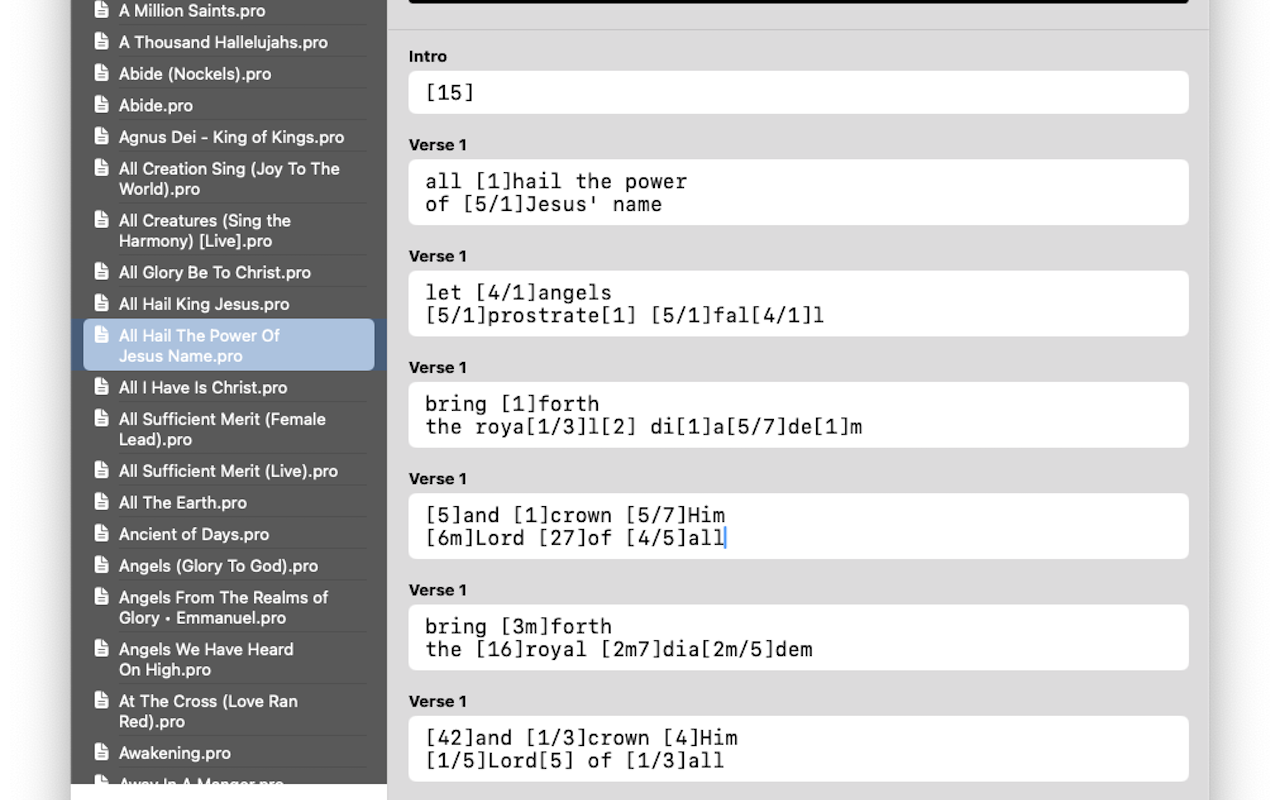
Clean, Simple Interface
Edit your ProPresenter slides with ChordPro format chords
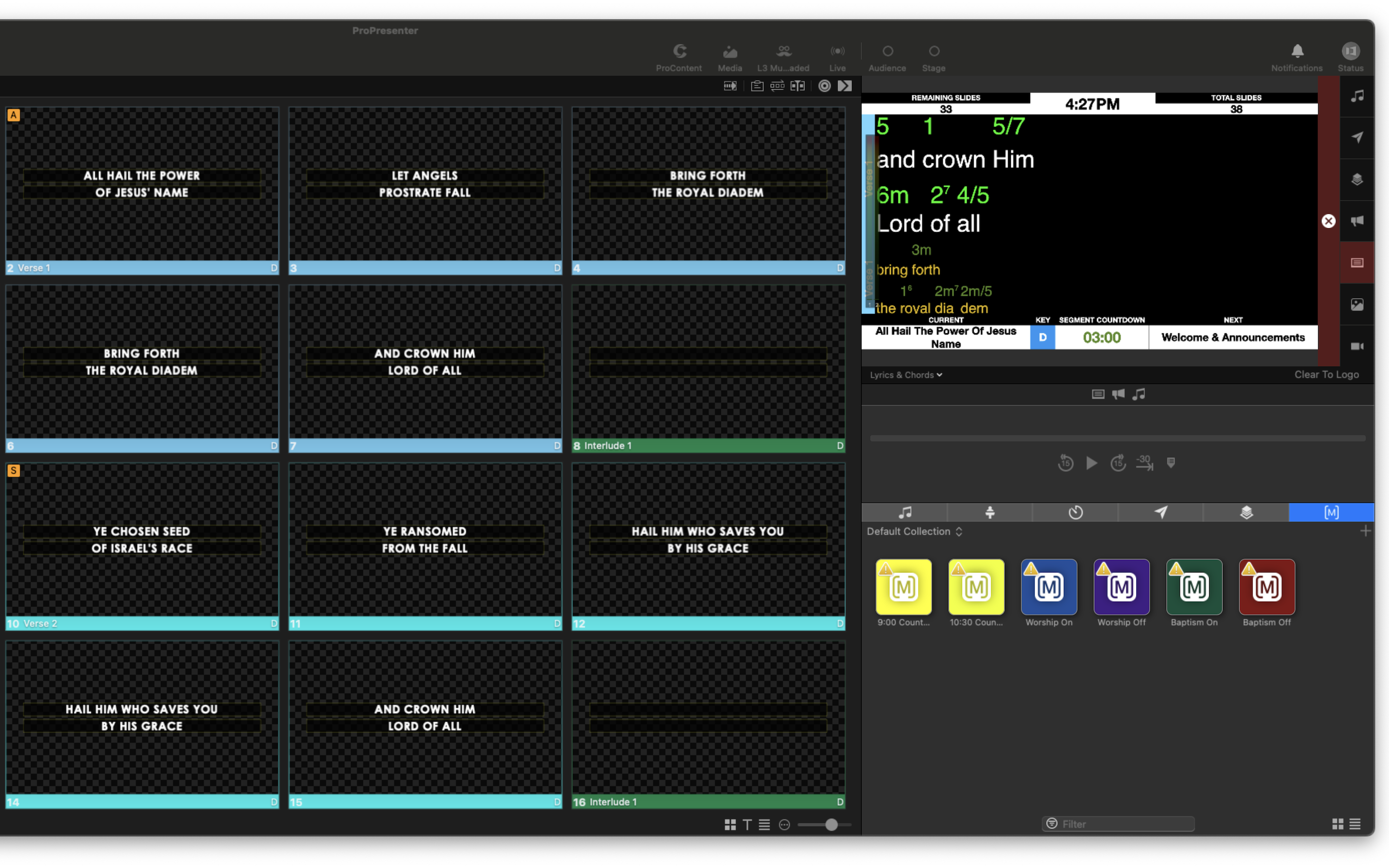
ProPresenter Integration
Seamless integration with your existing ProPresenter workflow
Stage Display Output
Musicians see chords positioned above lyrics on stage displays
See ChordProEditor in Action
Watch how easy it is to add chords to your ProPresenter files
Enhance Your Worship Experience Today
Join worship teams who use ChordProEditor to enable professional stage display capabilities.

Compatible with macOS 11.0 or later • Works with ProPresenter 7 • Version 2.1